 The Professor
I’m the Professor. Chapter 1 opens up the Goblin Lab, and inside it sits the Goblin Tinkerer’s Workbench, where you can craft Rocket Boots, gliders, Goblin Breach keys, goblin furniture and more.
…Which naturally gets you thinking: “Wouldn’t it be handy to have one of these back at my base?”
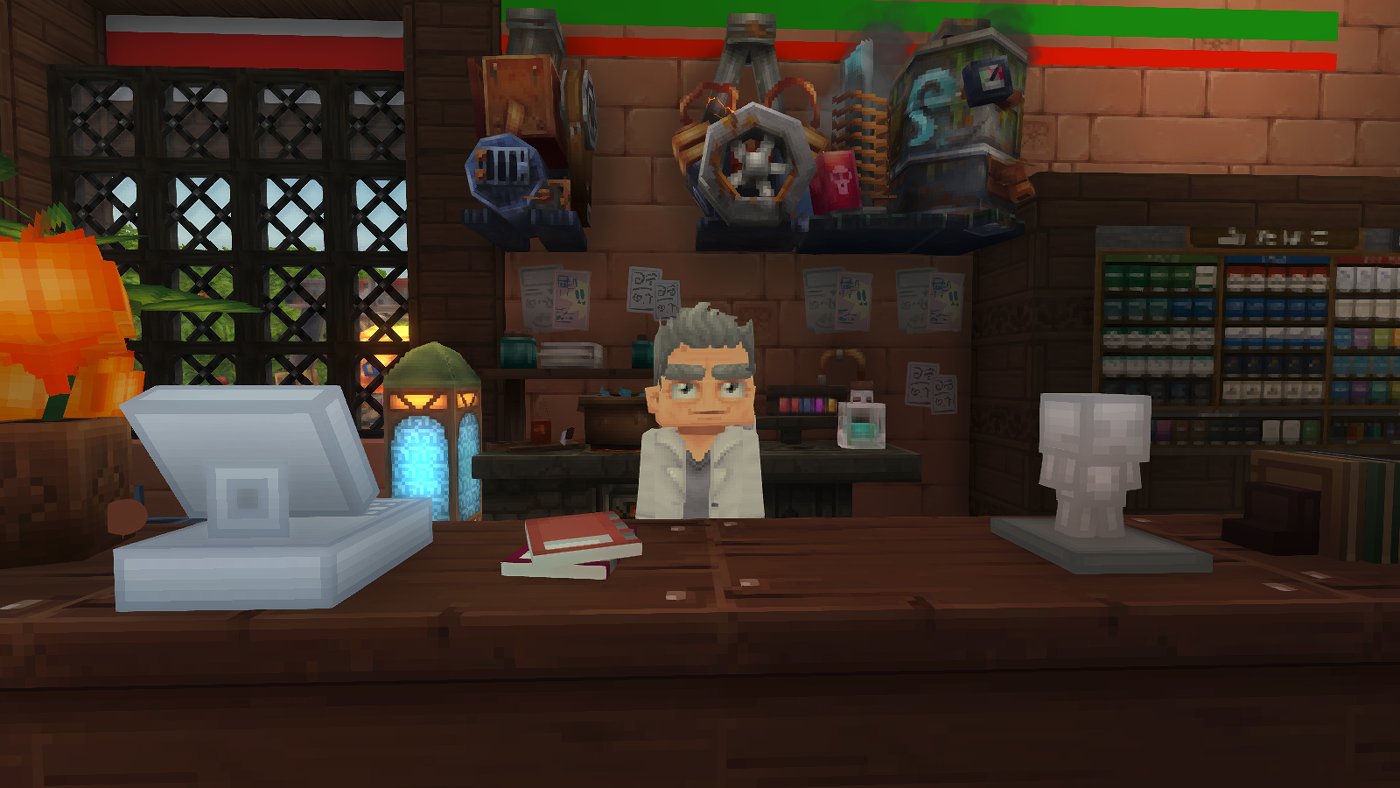
So today I’ll show you how to get the Goblin Tinkerer’s Workbench with commands and set it up at your base. I’ve made every command copy-and-paste ready.
It doesn’t show up in Creative mode
The first idea most people have is to make yourself an operator with /op self, switch to Creative mode, and pull it out of the item list.
But here’s the catch… search the Creative item list all you like, and you won’t find the Goblin Tinkerer’s Workbench.
🔍 Why: the Goblin Tinkerer’s Workbench and the Lab machines are “Developer” items
If you look at the game data, the Goblin Tinkerer’s Workbench, Generator, Boiler, Engine and Compressor all have their quality set to Developer. Developer items simply don’t appear in the Creative item list.
Still want one? Grab it with /give!
If it’s not in the list, just get it directly with the /give command. There is one tricky part, though.
⚠️ Placing the Goblin Tinkerer’s Workbench on its own won’t work!
The Goblin Tinkerer’s Workbench needs power from the Generator to be usable. On top of that, without the Boiler, Engine and Compressor, you won’t unlock more recipes.
In other words, set up the Generator, Boiler, Engine and Compressor together, just like in the Goblin Lab, and everything will work.
| Machine | What it does |
|---|---|
 Goblin Tinkerer’s Workbench Goblin Tinkerer’s Workbench |
The main crafting station |
 Generator Generator |
The power source. Without it running, neither the Goblin Tinkerer’s Workbench nor the other machines can be used |
 Boiler Boiler |
Unlocks movement gadgets (Rocket Boots and so on) |
 Engine Engine |
Unlocks Goblin Breach keys (key fragments) |
 Compressor Compressor |
Unlocks goblin furniture and decorations |
You can see everything it crafts in the Goblin Tinkerer’s Workbench recipe list.
Step 1: Become an operator and switch to Creative mode
Open chat (Enter key) and type these commands in order.
/op self/gamemode creativeYou can also switch modes with the O key. Press O again to switch back.
On a multiplayer server, you’ll need the server admin to give you permission.
Step 2: Get the five machines with commands
Press the “Copy” button on the right and paste it into chat. Enter them one line at a time.
Goblin Tinkerer’s Workbench/give GoblinLab_Tinkering_Bench Generator (Boomshroom Generator)/give GoblinLab_Generator Boiler/give GoblinLab_Tinkering_Bench_Recipeset_A Engine/give GoblinLab_Tinkering_Bench_Recipeset_B Compressor/give GoblinLab_Tinkering_Bench_Recipeset_CThe IDs say “Recipeset_A / B / C”, but A = Boiler, B = Engine, C = Compressor.
Step 3: Place them together at your base and repair them
- Place all five machines close together
- Freshly placed machines may be in a broken state. If you see “No power,” repair the Generator first, just like in the Lab
- Once the Generator is running, repair the Boiler, Engine and Compressor in any order you like
Here are the materials you need for the repairs.
| Machine | Repair materials |
|---|---|
| Generator |  Scraps ×10 Scraps ×10 |
| Boiler |  Dubious Assembly ×4, Dubious Assembly ×4,  Spider Silk ×2 Spider Silk ×2 |
| Engine |  Void Crystal Shards ×8, Void Crystal Shards ×8,  Voidheart ×1, Voidheart ×1,  Enkindled Sigil ×1 Enkindled Sigil ×1 |
| Compressor | Scraps ×60,  Bundled Treasure ×1 Bundled Treasure ×1 |
If you’d rather get the materials by command too, just copy and paste these.
/give Ingredient_Scraps --quantity=70/give Ingredient_Gadget_Assembly --quantity=4/give Ingredient_Spider_Silk --quantity=2/give Ingredient_Crystal_Void --quantity=8/give Ingredient_Voidheart --quantity=1/give Ingredient_Enkindled_Resource --quantity=1/give Ingredient_Deep_Resource --quantity=1And there you have it: your very own Goblin Lab, right at your base!
Warning: do this at your own risk!
⚠️ The Goblin Lab machines are Developer items. They were never meant for regular players to place at their bases.
• Unexpected behavior may happen (no power, odd visuals, etc.)
• An update might break them or change how they work
• To be safe, back up your world before trying this
Have fun, but it’s all at your own risk!
If you just want to play Survival normally, use the Goblin Tinkerer’s Workbench in the Lab as is. How to get there and gather materials is covered in the Chapter 1 feature.
Trekking out to the Lab every time is a real chore. With these at your base, you can whip up Rocket Boots and Breach keys in no time. Just remember they’re Developer items, so don’t forget to back up your world!
Item IDs are based on game data from before the Chapter 1 release. They may change in future updates.